 Budget Splitter
Split expenses straight from a screenshot.
Photograph a receipt, paste a list, or screenshot your bank app — Budget Splitter turns it into expenses your group can split. For trips, roommates, and everything in between.
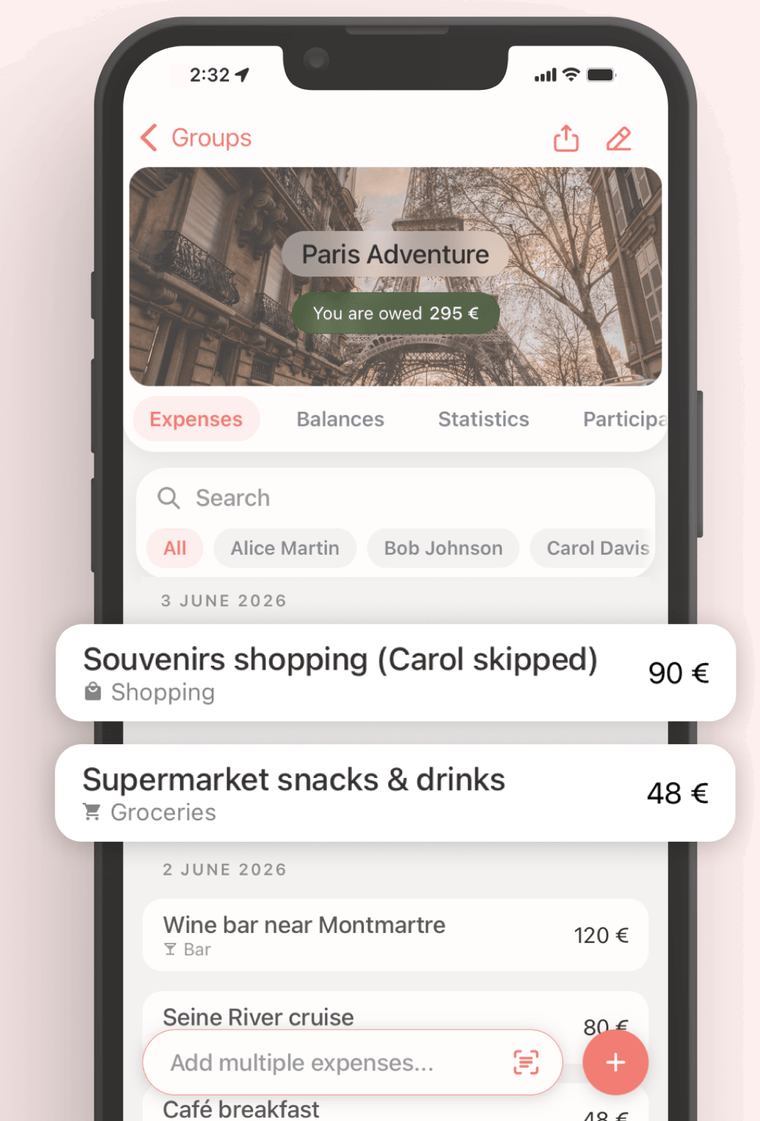
Every expense, in one place
Add what you paid and who it’s for. Categories, notes, search, and per-person filters keep a long trip legible.
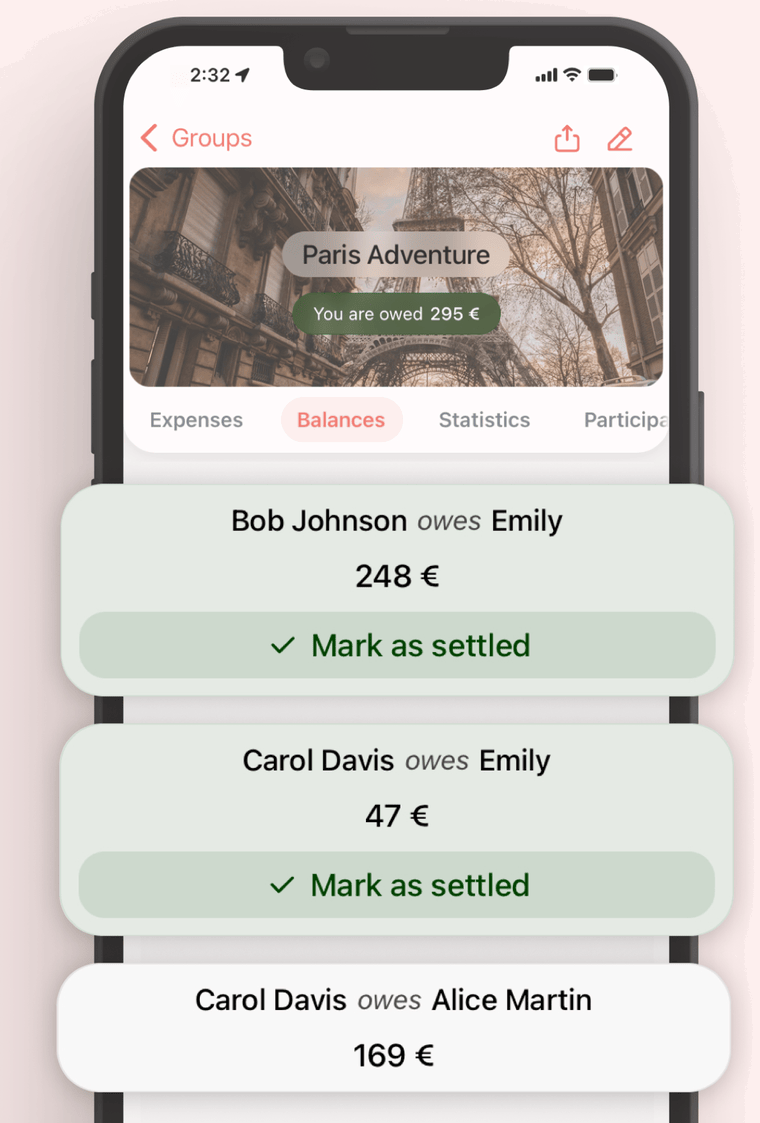
Balances, without the math
Budget Splitter keeps score as expenses come in. When someone pays their share, mark it settled — one tap.
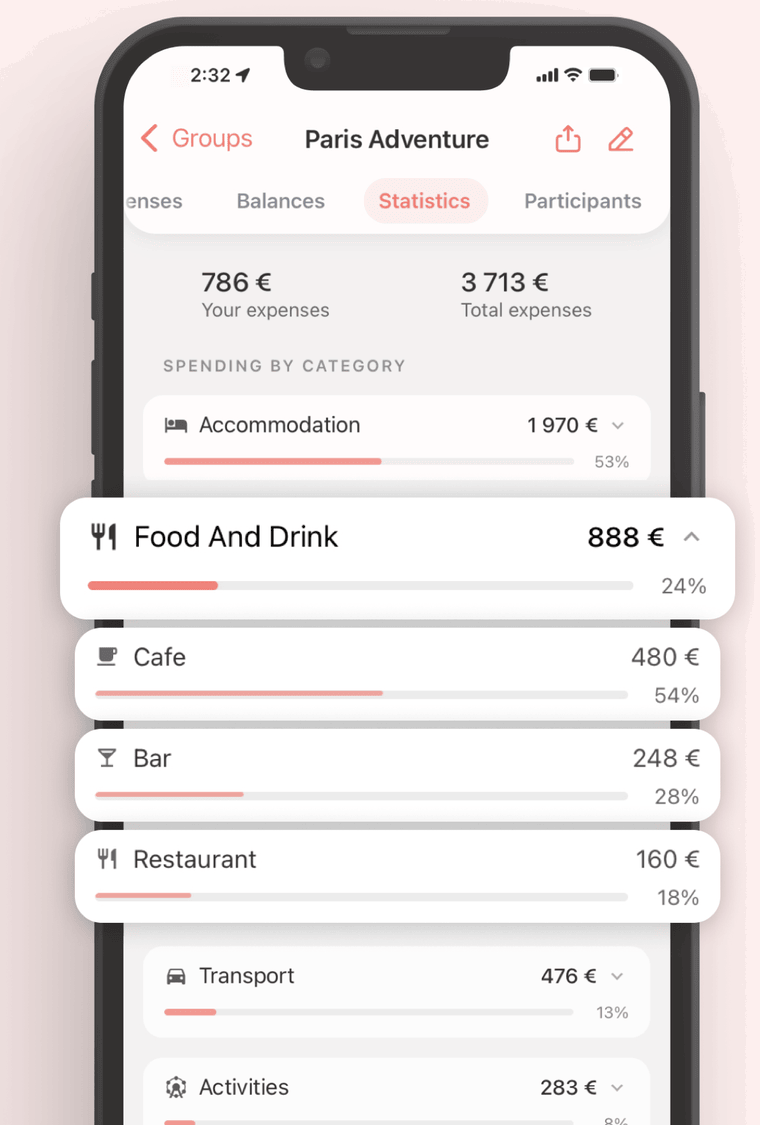
Where the money went
Spending by category, your share against the group total. Useful mid-trip, sobering after.
Three ways to skip the typing
Most expenses already exist somewhere — on a receipt, in your banking app, in a note. Import them from there.
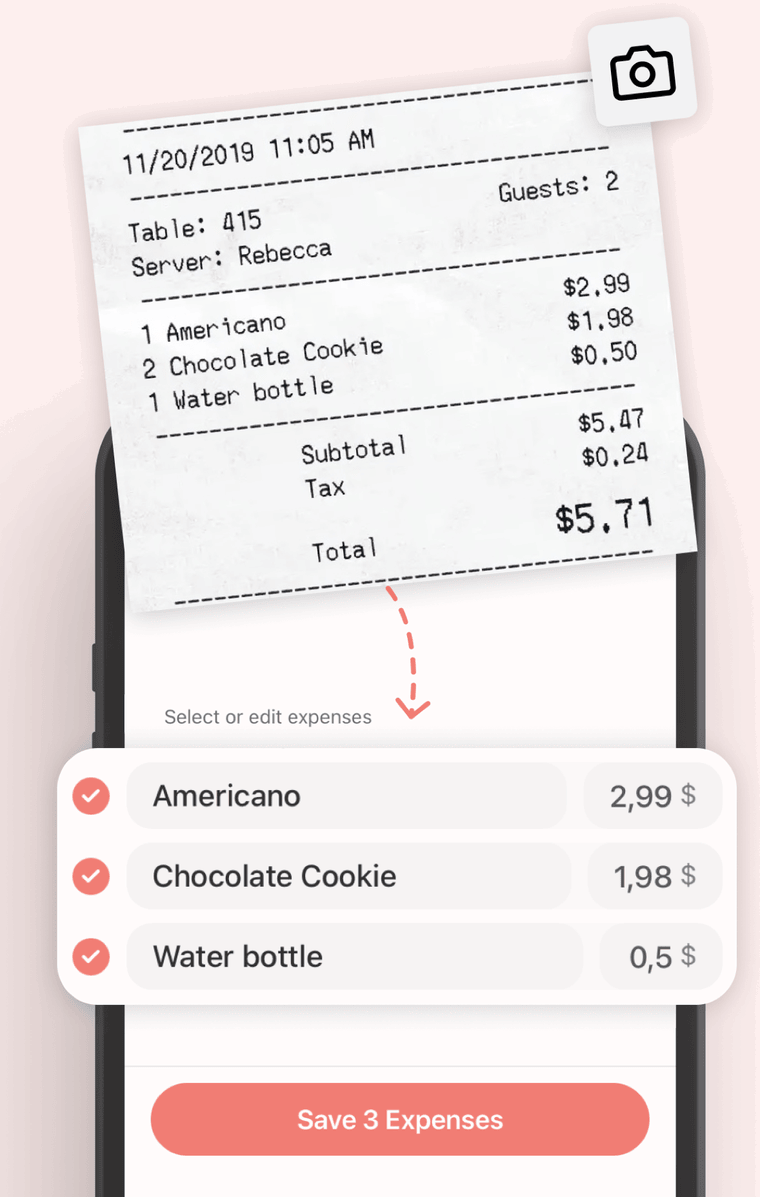
Snap a receipt
Each line on the bill becomes its own expense.
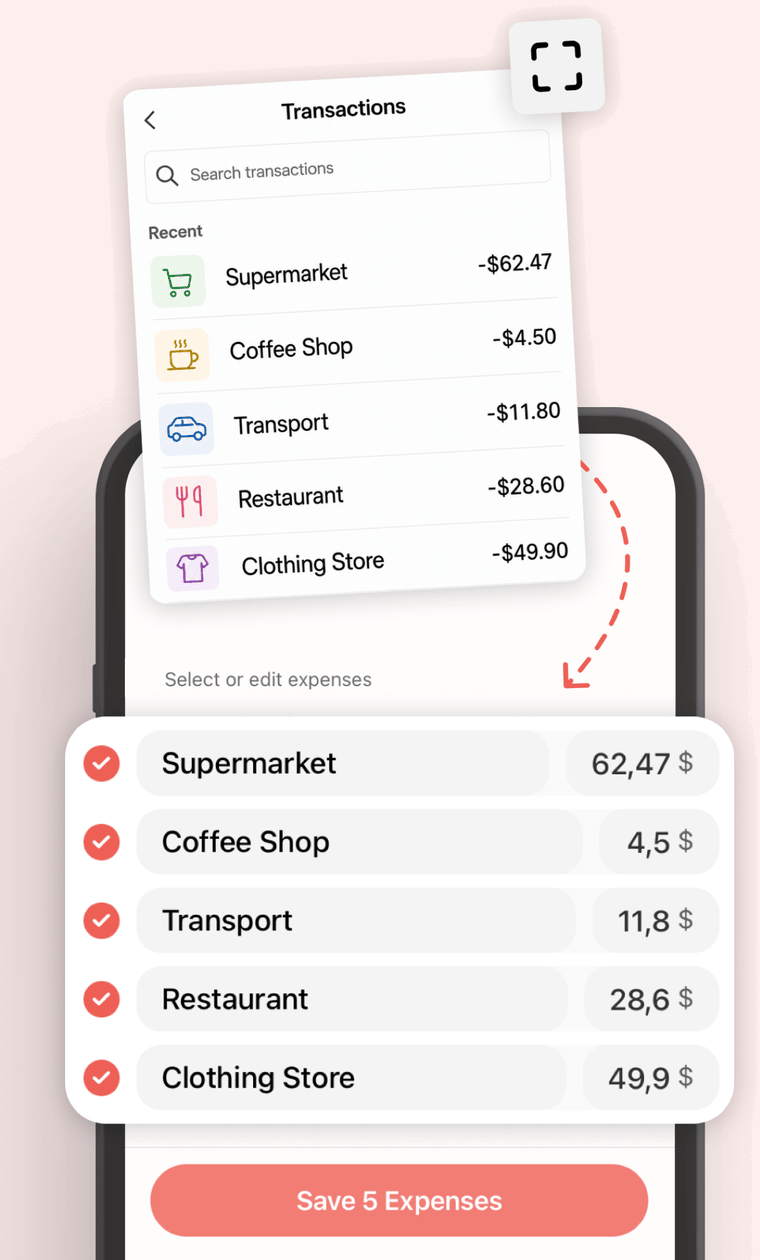
Screenshot your bank
Recent transactions, read straight from the image.
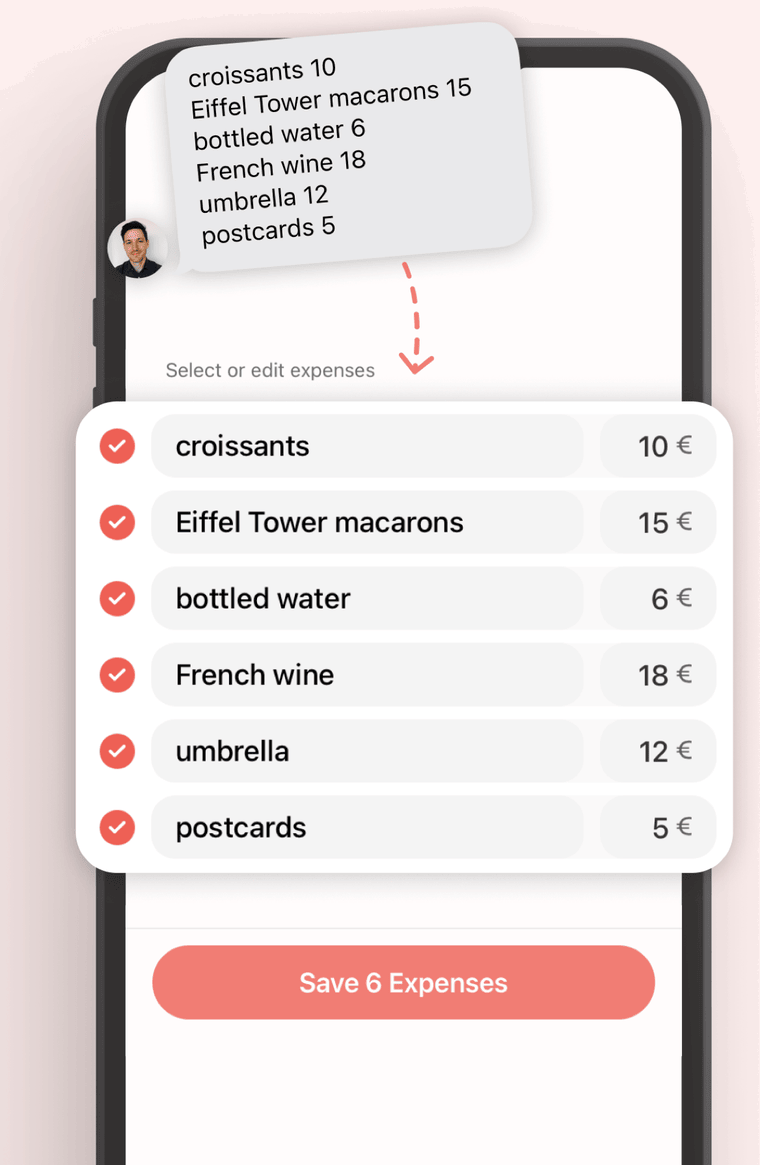
Paste a list
“croissants 10, wine 18” — that’s enough for an import.
A recap for the group chat
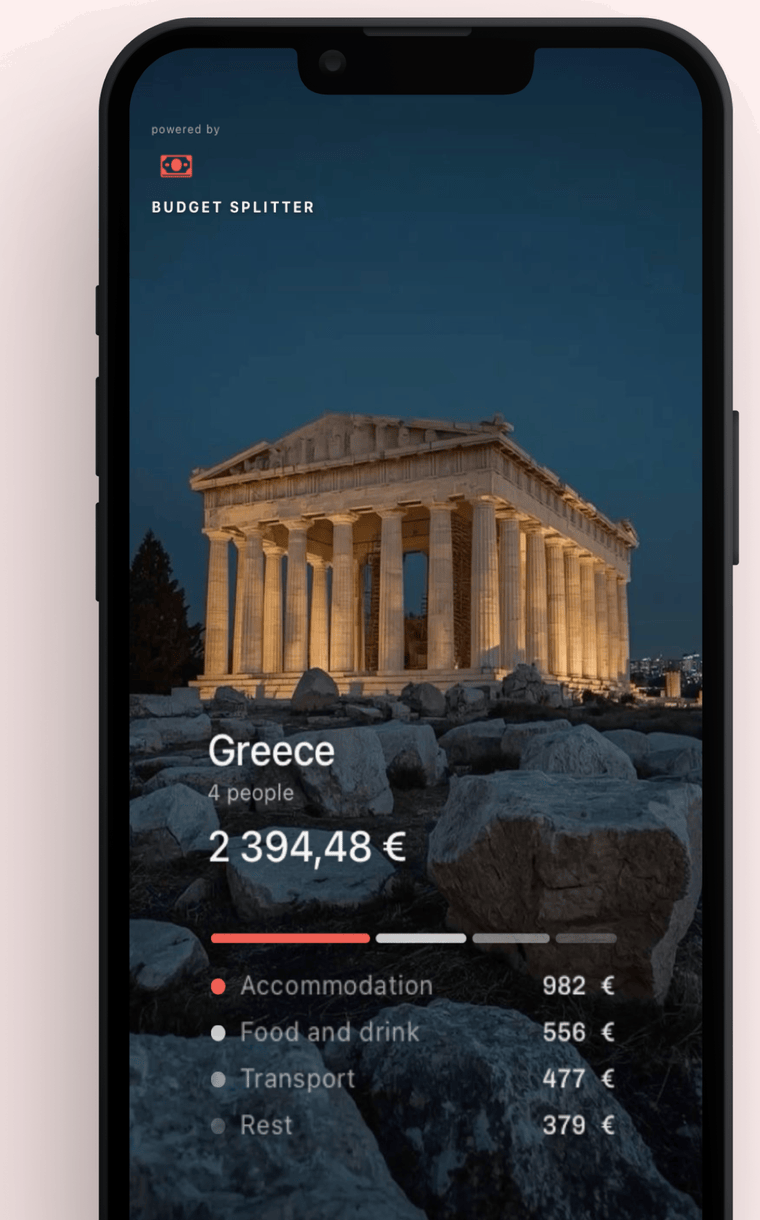
When the trip’s over, turn the numbers into a card — destination, headcount, total, breakdown — and post it.
Also a Telegram bot
Add @BudgetSplitter_bot to the group chat and log expenses without leaving the conversation. Groups, expenses and settlements sync with the app.